Loading On Deck
One card. Three ways to sell.
One card.Every sale.On Deck.
Add a card once and sell your way. Compare estimated take-home on eBay offers, host photos and manage private buyer inquiries, or price and sell at a show. Your inventory stays at the center of it all.
One inventory across three sales modes
eBay net proceeds and offer math
Private-sale images and inquiries
Vendor pricing, QR catalog, and deals
Illustrative workflow preview · Explore the live demo for the actual app
Pokémon Mode
Combined Sell Insights
Raw + graded inventory ranked for realistic selling
Market
$8,420
Cost
$5,180
85% Value
$7,157
Margin
$1,977
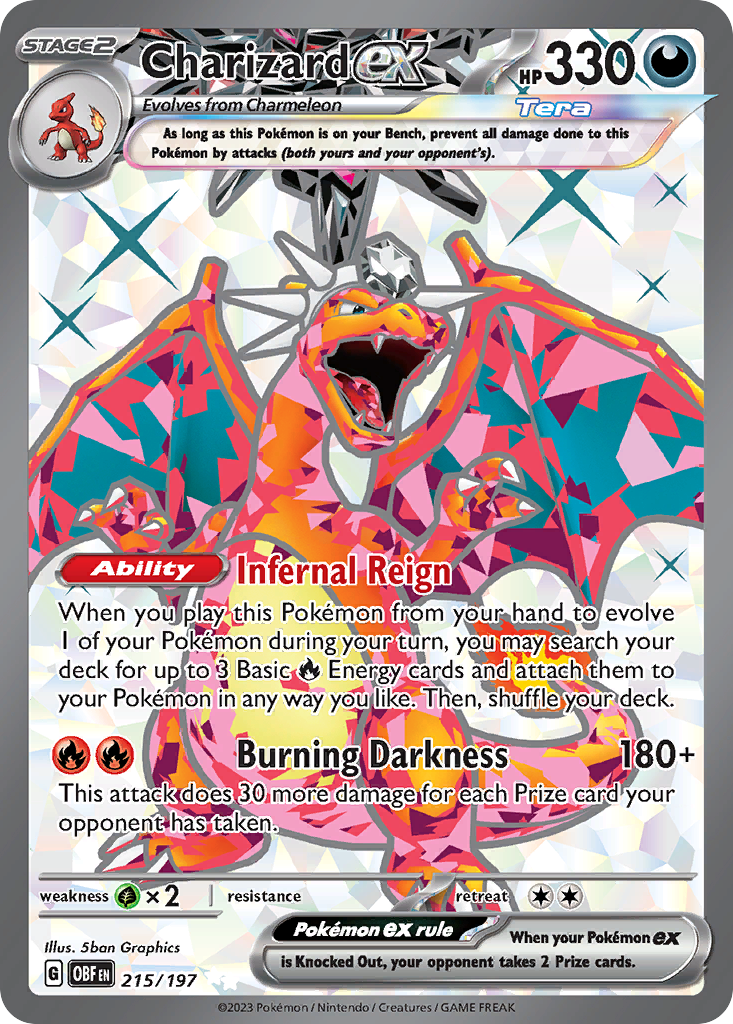
Charizard ex
RAWObsidian Flames · 215/197
90%85%80%
Market
$108
Select

Mew VMAX
GRADEDLost Origin TG · TG30/TG30
90%85%80%
Market
$33
Select
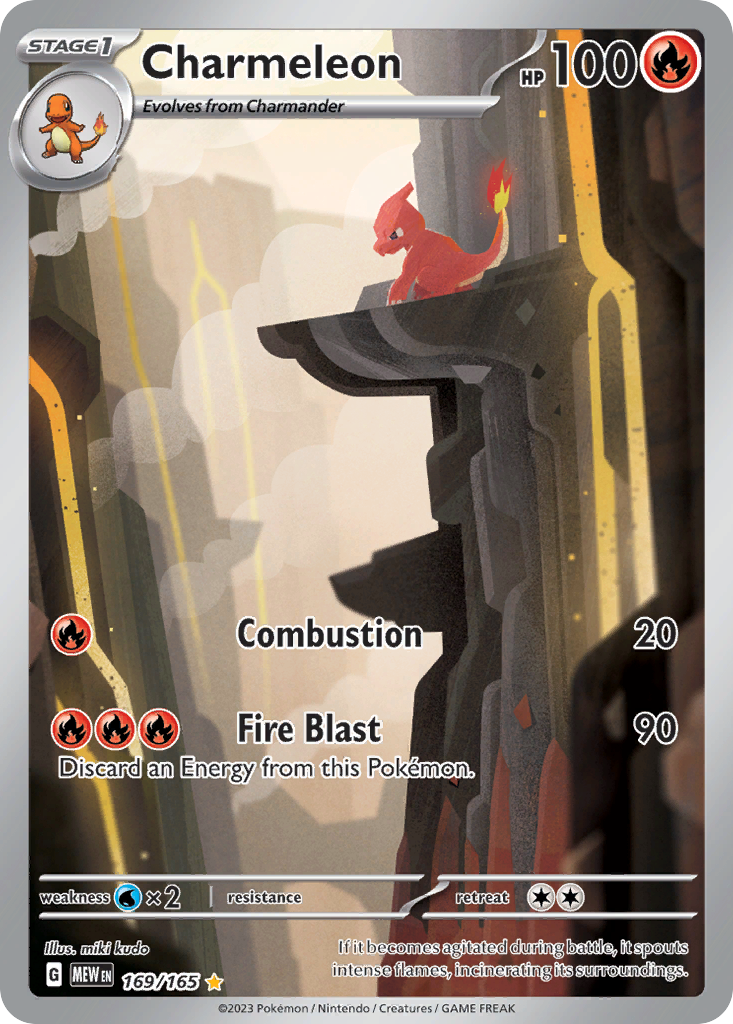
Charmeleon
RAWScarlet & Violet—151 · 169/165
90%85%80%
Market
$81
Select
On Deck Selection Builder
3 cards · $222 market · $70 projected margin at 85%
Add Selected
Built for every level
From personal collection to full vendor operation
iOSAndroidWebCloud Sync
From a real vendor conversation
See how On Deck fits at the table.
Carlos talks with a client in person about Vendor Mode. See the workflow in a real card-selling conversation, then explore the app for yourself.
The Instagram video loads only when you choose to play it. Instagram may set its own cookies.
The difference
One inventory. Every way you sell.
Your card record carries its identity, cost, market, and images into the sales tools you need. Work an eBay offer, a direct buyer inquiry, or a show-floor deal from the same inventory.
Know the exact card
Raw ID, cert, set, number, grade, image, collection, cost, and market stay together.
Know the realistic floor
Compare cost to 90%, 85%, and 80% of market before the negotiation starts.
Show buyers what is available
A read-only QR catalog lets customers search your live table inventory themselves.
Know how the deal finished
Singles, bundles, and trades resolve into sold records instead of disappearing from a list.
Three sales modes, one card
Make the right deal in every channel.
The same card can be part of your eBay planning, your private-sales catalog, and your show setup. Each mode gives you the tools for that sale.
eBay Mode
Run different offer prices through estimated marketplace fees, shipping, and your card cost. See the projected take-home and profit before deciding what works.
Offer scenarios · estimated net · profit
Private Sales
Put your card and your own images in a buyer-facing catalog. Receive inquiries and offers, then manage each inquiry alongside the card it concerns.
Hosted images · card-specific inquiries · direct deals
Vendor Mode
Choose what comes to the show, print price and QR labels, share a browseable table catalog, and see how a deal compares with market value.
Show prep · QR catalog · deal math
Explore all On Deck features
Live Control Center
See raw and graded counts, market, cost, spread, ROI, On Deck value, and daily sales from one mode-aware dashboard.
Combined Sell Insights
Rank raw cards and slabs by realistic margin at 85% or 80% of market, filter the list, and send selected cards directly to On Deck.
Fast Raw and Graded Intake
Create raw IDs, scan grading certs, import CSV data, and connect physical inventory to the card details that matter.
Pokémon Images Built In
Show card images throughout raw, graded, combined inventory, On Deck, and public catalog views so the right card is obvious at a glance.
Collectr-Friendly Workflow
Import Collectr data, build missing raw copies from quantity, link slabs by cert, and refresh markets without losing your own inventory structure.
On Deck Show Prep
Stage only the cards you are selling, override market when needed, and see immediate 90%, 85%, and 80% decision points.
Bundle and Trade Builder
Build multi-card sales or trades, allocate value across outgoing cards, add incoming raw or graded cards, and account for cash paid or received.
QR and Print Center
Generate card labels, custom-logo QR codes, storage labels, a compact catalog label, or a full 8.5 × 11 table sign.
Public Table Catalog
Let customers scan once and browse your current On Deck inventory by name, set, mode, player, or location with market prices only.
Sports Master Checklists
Start with card number, then expose only the matching player, parallel, variation, and serial options from imported modern set data.
Imports, Exports, and Research
Move data by CSV, export sports eBay draft templates, and open mode-appropriate research links for active and sold listings.
Cloud-Based Across Devices
Use the same account on iOS, Android, and web with mode-aware inventory and a read-only demo for a no-risk product walkthrough.
End-to-end workflow
From one card to the right sale.
Add the card once. Use the mode that fits the buyer, compare the deal against your cost, and keep the result tied to that card.
01
Add the card once
Keep the raw card or slab, cost, market, images, and identifiers in one inventory record.
02
Choose your channel
Use that card in eBay Mode, publish it to your private-sales catalog, or bring it to a show in Vendor Mode.
03
Know your numbers
Model an eBay offer after fees and shipping, review a private offer, or price a show deal against cost and market.
04
Work the deal
Handle a private inquiry or build a single-card, bundle, or trade deal with the right channel tools.
05
Record the outcome
Mark the card sold and keep the outcome with your inventory and sales history.
On Deck Selling Mode
Make the deal without doing the math twice.
Bundle Builder Active
Charizard ex
RAW_128 · Market $108
90%85%80%
1
Mew VMAX
RAW_042 · Market $33
90%85%80%
2
Charmeleon
RAW_014 · Market $81
90%85%80%
3
Selected Bundle
Market total$222
Cost total$139
85% target$189
Customer offer$185
Profit$46
% of market83%
Complete Bundle Sale
Built for real negotiations
Singles are easy. Bundles and trades are where tools usually fall apart.
On Deck keeps the outgoing cards, incoming cards, cash adjustment, market totals, costs, and deal allocation visible. That means faster decisions and a cleaner record after the handshake.
Shared outgoing bundle for selling or trading
Incoming raw and graded card entry
Cash back, cash paid, or even trade
Weighted allocation and sold-history records
Customer-facing table catalog
Turn one QR code into a browsable table.
Customers scan a sign, search the cards you actually brought, and see market prices without getting access to cost, internal notes, seller controls, or the rest of your inventory.
Search by card, set, player, or location
Switch between Pokémon, sports, and One Piece
Browse with card images where available
Read-only with market prices only
Mount Diablo Cards
Catalog · Market Prices Only

Scan to browse our table inventory
Search by card name, set, player, or location.
Mount Diablo Cards
Table Inventory
MARKET ONLY
Search cards...
PokémonSportsOne Piece
Charizard ex
Obsidian Flames · 215/197
Show Case
$108
Mew VMAX
Lost Origin TG · TG30/TG30
Show Case
$33
Charmeleon
Scarlet & Violet—151 · 169/165
Show Case
$81
Three dedicated card modes
The same operating system, without mixing your data.
Each mode keeps its own raw and graded inventory while sharing the selling, label, public catalog, and sold-tracking foundation.
Most optimized
Pokémon
Raw and graded images, Collectr imports and linking, TCGplayer-oriented research, automatic raw IDs, show pricing, and public catalog support.
Raw + graded images
Collectr workflows
QR redirects and labels
Dedicated inventory mode
One Piece
Separate raw and graded inventory with the same core selling, collection, On Deck, label, search, and catalog structure.
Mode-separated records
Raw + graded support
Shared show workflow
Checklist powered
Sports
Modern set-list intake, card-number-first filtering, parallels and variations, serial details, comp links, CSV tools, and eBay draft export.
Master checklist builder
Sports research links
eBay draft template
Pokémon image support
See the card, not just another row.
Images make inventory faster to verify at home, easier to sell at a show, and more useful to customers browsing the public catalog. The current Pokémon workflow carries imagery across the places it matters.
Raw inventory
Graded inventory
Combined sell insights
On Deck
Card detail view
Public catalog
Charizard ex
Obsidian Flames · 215/197
Mew VMAX
Lost Origin TG · TG30/TG30
Charmeleon
Scarlet & Violet—151 · 169/165

Gengar VMAX
Fusion Strike · 157/264
Pokémon names, card artwork, and related marks belong to their respective owners and are shown for inventory-reference examples. Mount Diablo Cards is not affiliated with or endorsed by The Pokémon Company, Nintendo, Creatures Inc., or Game Freak.
Mount Diablo Cards inventory
Looking for cards? Shop MDC.
On Deck powers the workflow behind the scenes. When you want to browse what Mount Diablo Cards is actually selling, choose the storefront that fits the deal.
On Deck by MDC
One card. Every way you sell.
Plan your eBay take-home, manage private inquiries, and work show deals from one inventory built for the hobby.